Manage users
Users in Cohesivo are treated the same way as other content items. They're organized in groups, which helps you manage them and their permissions.
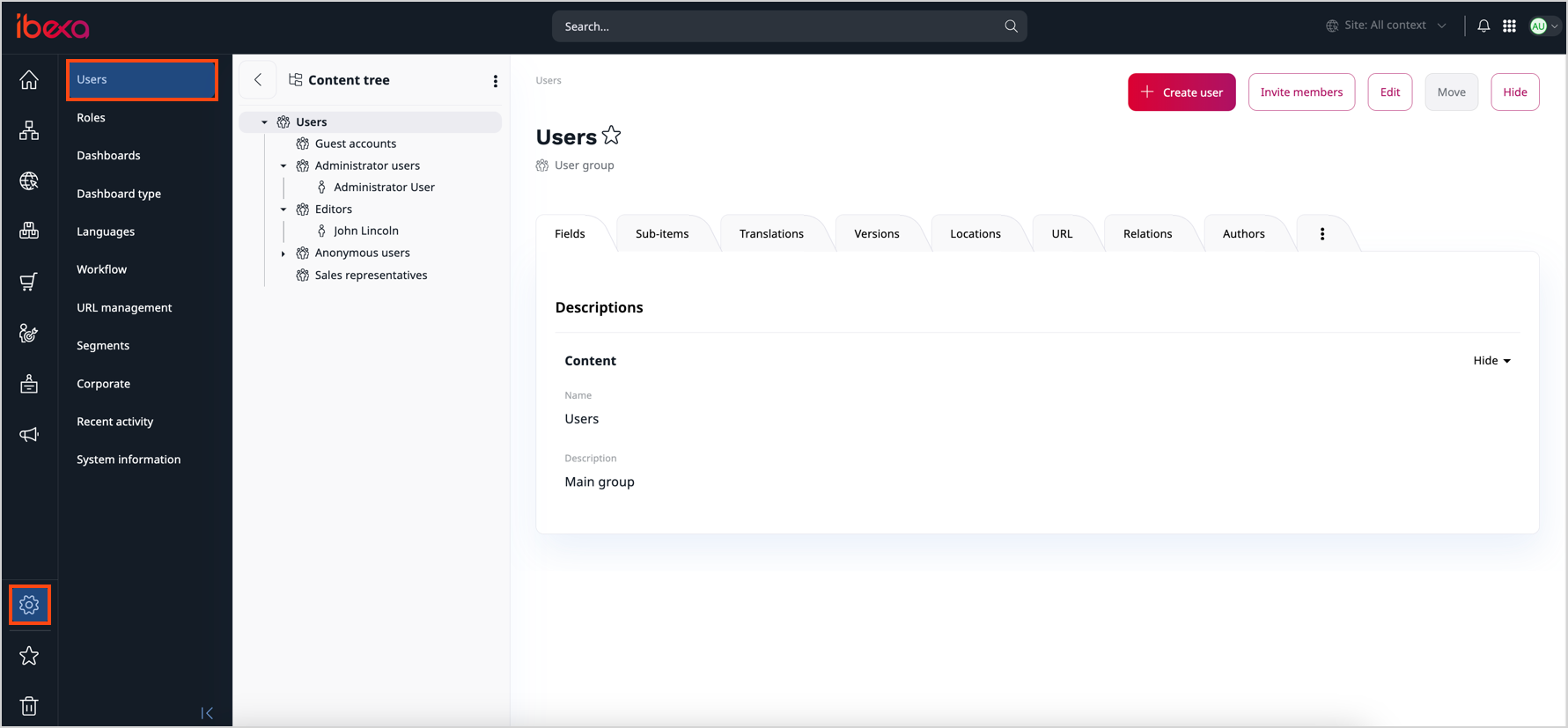
You can view all user groups and Users in the Administration panel by selecting Users. Here, you can manage users, their relations, roles, and policies. As you can see, the interface is the same as when working with regular content items.
Caution
Be careful not to delete an existing user account. If you do this, content created by this user can be broken and the application can face malfunction.
Create users
To give someone access to the back office, create a user:
- Go to Administration -> Users.
- Navigate to the user group the user should belong to.
- Click + Create user, select the content type depending on the type of user that you want to create, and click Create.
-
Fill in user data, including the user account data:
- In the Email field, enter the user's email address. The email address is the user's login.
- Enter the password, or click Generate password.
- Switch the Enabled toggle on. Users who aren't enabled can't log in.
-
Click Save and close.
You can now provide the new user with their access rights. To control which parts of the system the user can access, assign appropriate roles and permissions.